Wi-Fi 6: The Next Generation of Wireless Networking

Blond man sitting outside on his laptop computer.

How to Get Wi-Fi 6 for Better Home Internet 

When you flick a light switch on, you expect your lamps and lightbulbs to turn on every time, no question. Similarly, when we open our laptops or stream music today, we expect our Wi-Fi to work every time. But as many of us know, this is not always the case. 

If you experience slow or unsteady Wi-Fi at home, it may be time to upgrade your router to the latest version of Wi-Fi. Just as smartphone manufacturers roll out new and improved models every few years, Wi-Fi technology is always improving too. Routers that run on 802.11ax, also known as Wi-Fi 6, can communicate with more devices at once at incredible speeds. 

Read on to learn how Wi-Fi 6 improves your wireless devices’ performance and how a home network installation eliminates Wi-Fi dead zones across the house. 

Texadia Systems is a home technology integrator providing home network services to homes and businesses across Highland Park, TX. Contact us here to get started today! 

  1672 Hits

Learn How to Raise the Bar on Your Home Network

learn-how-to-raise-the-bar-on-your-home-network-scaled

Texadia Systems Keeps You Connected in Fun & Exciting Ways 

Did you know that the average American has access to 10 connected devices in their home? It’s true, according to a Statista survey of over 14,000 respondents. Smart TVs, tablets, smartphones, smartwatches, gaming consoles, and more all comprise the device list. Think about your own home – how many devices do you use daily in your Texas home? 

Modern home networks require expert design and installation in order to adequately keep Texans connected, no matter if you’re in Prosper or elsewhere in the Dallas/Fort Worth metroplex. And the last year has seen a rise in the amount of time we spent at home and changed our daily networking needs tremendously. Read on below to learn three unique ways Texadia Systems can keep you connected with professional-grade home network services.

  2326 Hits

Need Stronger Home Wi-Fi? An Enterprise-Grade Network Could Help

Woman in home office using a computer and tabletop console for video conferencing.

Improve Your Home Wi-Fi Experience 

Most homeowners use regular consumer-grade routers to distribute Wi-Fi across the house. But if you live in an expansive home on a large property, and if you want the most sophisticated smart home solutions, a standard router won’t be enough. 

Instead, an enterprise-grade network will provide the coverage and speed you really need. What is an enterprise-grade network? We explain all below to help you find the best solutions for your home Wi-Fi

And if you’re ready to upgrade your home network performance in the Highland Park, TX, area, contact Texadia Systems here

  1312 Hits

The Strengths of Being Both a Commercial & Residential AV Integrator

the-strengths-of-being-both-a-commercial-residential-av-integrator

Bring Your Commercial Skills to Residential Projects—and Vice Versa 

If a prominent business is looking for an integrator to work with, they’ll want to hire an expert. Some think a business owner might overlook the technology integrator that does “resimercial” – that is, residential and commercial – installations, and instead choose a firm that specializes in commercial. Similarly, someone building a five-million-dollar house may be looking specifically for a residential installer. 

But we’re here to demonstrate that AV integrators who work in both commercial and residential spaces have unique strengths that make them just as, if not more, valuable than specialized firms. 

If you’re a technology integrator, you may feel pressure to choose between commercial or residential work. Here’s how you can leverage your experience in both to show clients your capabilities. As an AV integrator who works in both commercial and residential fields in the Dallas, TX, area, we’ll share our insights below. You can learn more by subscribing to our monthly newsletter too! 

  1712 Hits

3 Home Network Updates for Modern Needs & Future Demands

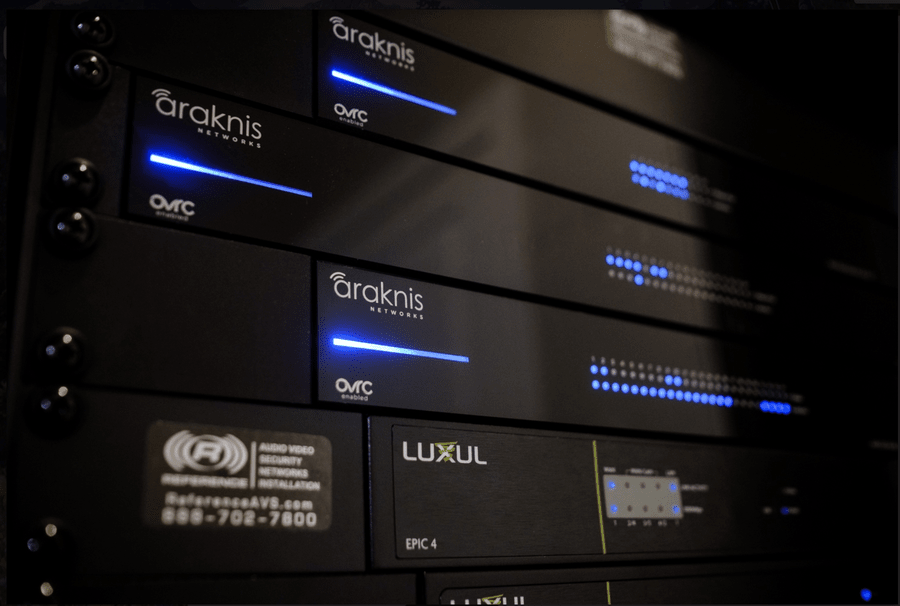
A close up of Araknis-branded internet routers.

Enjoy Optimal Network Performance for Years to Come 

As emerging technologies like 5G and Wi-Fi 7 pave the way for faster wireless connectivity, now is the perfect time to upgrade your home network. These innovations promise exceptional speeds and seamless connectivity for the growing number of smart devices we use daily. 

Texadia Systems in Dallas-Fort Worth offers comprehensive solutions to future-proof your home network. With our home network updates in DFW, you’ll enjoy:

  • Faster internet speed with Wi-Fi 7
  • Smart device compatibility
  • Reduced latency for gaming/streaming
  • Support for remote work 
  • Resilience to future tech upgrades
  1081 Hits

Can My Neighbor’s Wireless Network Affect Mine?

can-my-neighbors-wireless-network-affect-mine-2

Learn How Networks Outside of Your Home Can Affect Your Home Network

Potential clients often approach us about their slow network speeds and connectivity issues. The first line of defense is to contact your local Internet service provider (ISP) to ensure there are no issues or outages. If you’ve done that and still have problems with slow devices in your Dallas-area home, then it’s time to address some common wireless network interference issues.

That’s where Texadia Systems comes in – our home network services address every aspect of your Texas property’s wired and Wi-Fi connections. Read below to learn two possible culprits causing your home networking issues – your neighbor's Wi-Fi and local cell towers. And if you need a home network service upgrade for your Dallas/Fort Worth-area home, connect with Texadia Systems today! 

  2142 Hits

What Is Wi-Fi 6 and Why Is It Better?

what-is-wi-fi-6-and-why-is-it-better-1

The Next Generation of Wi-Fi Brings Faster Speeds & Less Crashes

Have you heard of Wi-Fi 6? If you’re like most people, you may have been unaware that there was even a Wi-Fi 5. 

Wi-Fi standards are always upgrading, and each new version has its own name. Until recently, wireless standards were referred to by their technical name, like 802.11ac (Wi-Fi 5). The latest version, 802.11ax, is also known as Wi-Fi 6. It’s the speediest Wi-Fi standard available on the market, letting more devices communicate simultaneously. If you’re tired of slow and unreliable internet, it might be time to trade in your router for Wi-Fi 6. 

But what is better about Wi-Fi 6? Is it worth the upgrade? We’ll share what Wi-Fi 6 can provide your home below. And if you’re curious about a home network installation in the Southlake, TX area, contact Texadia Systems here

  2138 Hits

Tags

Lighting Control Crestron AirMedia Structured Cabling new year Wi-Fi Boardroom Technology Motorized Shading Interactive Displays Commercial Automation Savant Mcintosh Energy Efficient LED Video Conferencing System Ketra Sony Climate Control AV Integration Energy Efficient Outdoor AV Mersive LED Video Walls UCaaS Home Network Home Theaters Distributed Audio DIY Access Control Microsoft Teams Team Rooms Commercial IT Video Conferencing Draper Home Theater Landscape Lighting Acoustic Treatments IoT Recording Studio Sound Masking Home Security SurgeX Home Networking commercial networking Custom AV Remote Monitoring Energy Management Texadia Generac Lutron Automated Shades LED Lights Lighting Design Tunable Lighting Crestron Wireless Access Points Home Networks Home Theater Installation Commercial Automation System Control4 commercial av Microphones Network Services system integration digital signage Tunable LED Lighting Audio Video Distribution Home Automation System Commercial AV Conference Room Automation Teams Surround Sound Power Management Home Upgrades Motorized Shades Cabling audio Touchless Technology Digital Signage Wi-Fi 6 home automation system Sonance Smart Home System Whole Home Audio smart home automation Cabling Installation Energy Managment Automation System Klipsch Audio Distribution AV Distribution Smart Home Technology Commercial Networking High-End Audio Outdoor TV Soundmasking Audiovisual Equipment Video Walls Zoom Rooms Smart Locks DMF Lighting Control4 Showroom Media Room Electric Vehicle Home Audio Video Conferencing Technology Hi-fi Audio Hospitality AV Smart Lighting Control Lighting Smart Lighting Outdoor Entertainment Google Meet Circadian Lighting Commercial Network LED Display video-tele conferencing Whole-Home Audio Zoom Verkada Residential Solutions Residential AV Audio Video Installation Home Lighting Control Video Analytics Control4 Dealer commercial automation Home Networking Installation AV as a Service Commercial Security smart home control Coastal Source Samsung Motorized Window Treatments Home Theater Installations QSC Conferencing AV Air Media 2.0 Conference Room Unified Communications Acoustics Hidden Audio Surveillance Cameras Energy Control Alarm.com Hidden AV AV Solutions Voice Control Whole Home AV Conference Room AV Sonos Hotel AV Networking LED Audiovisual Conference Room Technology AvaaS 4K Surveillance Josh.ai HomeWorks Structured Wiring Teams Rooms video smart home Network Cabling Service Smart Home Company Soundproofing Smart Home Installation 2019 Smart Home Automation Outdoor Audio residential av Commercial Technology maintenance Smart Security Conferencing System texadia systems Energy Efficiency Meeting Room AV 4K media room LED Lighting JBL Lutron Shades Conferencing Solutions MicroLED Home Automation Multi-Room Audio AV Technology
Subscribe to Inspiration
Stay up to date on the latest smart technology ideas and innovations.

Powered By One Firefly   |    Sitemap   |    Privacy Policy


https://www.cigna.com/legal/compliance/machine-readable-files

This link leads to the machine-readable files that are made available in response to the federal Transparency in Coverage Rule and includes negotiated service rates and out-of-network allowed amounts between health plans and healthcare providers. The machine readable files are formatted to allow researchers, regulators, and application developers to more easily access and analyze data.